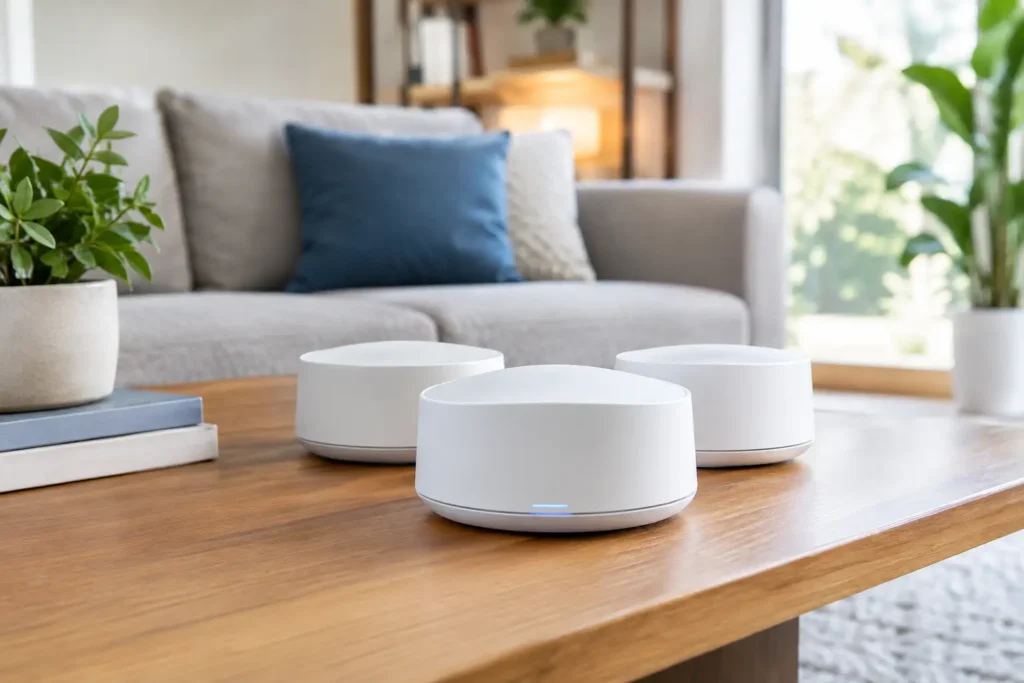
A beautiful TV wall, Dolby Atmos speakers, and fast internet service can still deliver a frustrating experience when the WiFi drops in the upstairs bedroom, on the patio, or right when everyone starts streaming. The best mesh WiFi systems for homes solve a coverage problem that a single router often cannot, but the right choice depends on the home’s layout, construction, internet plan, and connected equipment.
For many Orange County homeowners, WiFi is no longer just for laptops and phones. It supports streaming TVs, Sonos systems, security cameras, smart thermostats, lighting controls, video doorbells, game consoles, workstations, and whole-home automation. That makes system design just as important as the name on the box.
What Makes a Mesh WiFi System Different?
A traditional setup uses one router, usually placed wherever the internet provider installed the modem. That location is often a closet, garage, cabinet, or far corner of the house, which is rarely the best place to send a wireless signal through the rest of the property.
A mesh system uses a main router plus additional access points, often called nodes or satellites. These units work together under one network name and extend coverage where it is actually needed. Instead of manually switching between a downstairs and upstairs network, your phone, TV, or tablet can move between access points as you move through the home.
That convenience is valuable, but mesh is not magic. Every node needs a strong connection to the network. If a satellite is placed too far from the main router, it may spread a weak signal rather than improve it. Proper placement, wiring options, and the materials inside your walls all affect the final result.
Best Mesh WiFi Systems for Homes: How to Compare Them
There is no single best system for every property. A compact condo with a few streaming devices needs a different solution than a multi-story home with concrete walls, outdoor entertainment, and dozens of smart devices. When comparing mesh WiFi systems, focus first on the network features that affect your daily use.
WiFi 6, WiFi 6E, and WiFi 7
WiFi 6 remains a strong choice for many homes. It handles multiple devices more efficiently than older WiFi standards and is well suited to 4K streaming, video calls, smart home equipment, and everyday browsing. It is often the practical value choice when the home does not need the newest features.
WiFi 6E adds access to the 6 GHz band. In a compatible environment, that can reduce congestion and improve performance for newer devices. The trade-off is range. Higher-frequency signals do not travel through dense walls and floors as effectively, so 6E is most useful when node placement is well planned.
WiFi 7 is the current premium option. It is designed for higher capacity, improved efficiency, and faster speeds with compatible devices. For a newly built or remodeled home where wiring is available, WiFi 7 can be a smart long-term investment. However, it costs more, and older TVs, receivers, cameras, and phones will not suddenly become WiFi 7 devices. The network can still benefit, but the value depends on the equipment you own and how long you plan to stay in the home.
Dual-Band vs. Tri-Band Design
Dual-band systems use the familiar 2.4 GHz and 5 GHz bands. They can work very well in smaller homes or homes where nodes are connected by Ethernet cable. Without wired connections, though, a dual-band node may use part of its wireless capacity to communicate with the main router.
Tri-band systems add another wireless band, often dedicated to communication between nodes. This can preserve more bandwidth for your devices and is especially useful in larger homes where running cable is not feasible. It is generally the better choice for demanding wireless-only installations, although the system still needs thoughtful placement.
Wired Backhaul Matters More Than Most Specifications
The strongest mesh installations use Ethernet wiring between the router and each access point. This is called wired backhaul. It gives each node a direct path back to the network, which improves speed, reliability, and consistency.
For homeowners planning a remodel, pre-wiring for access points is one of the best investments in the project. It keeps equipment out of sight while allowing coverage in areas that otherwise struggle, such as upstairs hallways, detached garages, outdoor living spaces, and home offices.
If the home already has network cable in the walls, a professional can test it and determine whether it can support a modern mesh setup. In some cases, existing coaxial cable can also help extend the network through compatible adapters. The best answer depends on the infrastructure already in place.
Popular System Types and Where They Fit
Consumer-friendly systems from eero, TP-Link Deco, and Google Nest are often attractive because setup is simple and app-based. They can be a good fit for a straightforward home network with moderate coverage needs. The limitation is that advanced configuration, monitoring, and expansion options may be more restricted.
Premium systems such as Netgear Orbi can deliver excellent coverage and high performance, particularly in larger homes that need a capable wireless backhaul. They are worth considering when running Ethernet is difficult, although the equipment cost can be higher.
For larger residences, demanding smart homes, and properties with extensive wired infrastructure, professionally managed access point systems may make more sense than a retail mesh kit. Solutions in this category offer more control over network layout, device management, security settings, and future expansion. They also require more planning and correct installation to perform as intended.
The best choice is not necessarily the system with the highest advertised speed. A well-positioned WiFi 6 system with wired backhaul can outperform an expensive WiFi 7 kit that is placed poorly or forced to communicate through several dense interior walls.
Plan Around How Your Home Is Actually Used
Start by identifying where connection problems occur. A signal issue in one bedroom is different from a whole-home slowdown when several TVs, cameras, and mobile devices are active. Pay attention to the locations where reliable service matters most: the media room, home office, primary bedroom, kitchen, patio, and outdoor TV area.
Construction is a major factor in Southern California homes. Stucco, metal lath, stone, tile, mirrors, concrete, radiant barriers, and equipment cabinets can weaken wireless signals. A node placed inside a closed cabinet or behind a large TV may look tidy but can compromise performance. Good installation balances clean aesthetics with proper signal coverage.
Device count also deserves an honest look. A household may have 50 or more connected devices once streaming equipment, smart speakers, security cameras, doorbells, appliances, lighting hubs, and guest phones are included. Cameras and streaming systems benefit from consistent coverage, not merely an occasional speed test that looks good next to the router.
Avoid These Common Mesh WiFi Mistakes
Buying too many nodes can cause problems just as easily as buying too few. Access points placed too close together may compete for airtime. Placing them too far apart creates weak links between nodes. A site-specific plan is more reliable than relying on the square-footage number printed on a package.
Another common issue is using the internet provider’s gateway as both the main router and part of a second routing system. Double routing can complicate streaming devices, remote access, gaming, security cameras, and smart home controls. The network needs one clear design, with the right device handling routing duties.
Finally, do not overlook wired connections for stationary equipment. A TV, AV receiver, game console, media server, or desktop computer near an Ethernet jack is usually better connected by cable. This frees wireless capacity for the devices that truly need it and can make streaming more dependable during busy evenings.
When Professional WiFi Installation Is Worth It
A mesh kit is easy to buy. Getting the best performance from it can be more involved. Professional setup is especially helpful when a home has multiple stories, thick construction materials, dead zones, detached spaces, outdoor entertainment, or integrated AV and smart home equipment.
Tri Star Home Theater can evaluate the existing network, identify practical equipment locations, use available low-voltage wiring, and configure WiFi around the systems that matter most in your home. That means the network is considered alongside your TVs, streaming devices, Sonos components, security cameras, and control systems rather than treated as an afterthought.
The right mesh WiFi system should quietly support the way your home works: a clear movie night, a stable work call, responsive cameras, and music that keeps playing when you walk outside. Ready for a free consultation? Let’s get in touch! Call (949) 878-0531 Today