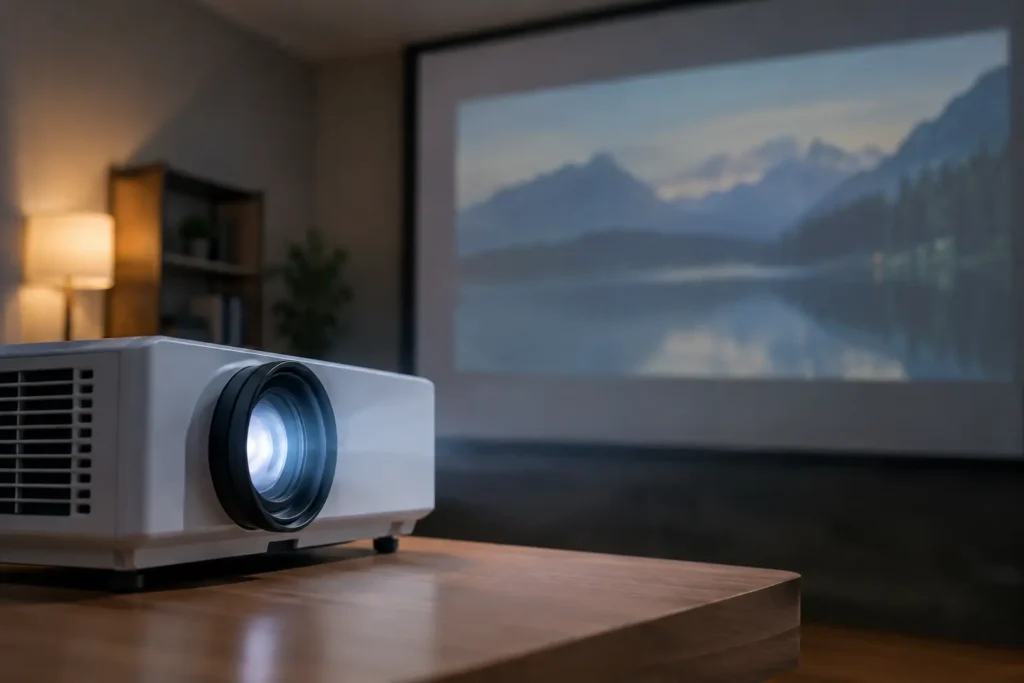
A movie night can go from impressive to frustrating when a projector that once looked bright and detailed suddenly appears washed out. If you are asking, “why is projector image dim,” the answer is usually not a single failed part. Brightness depends on the projector, the room, the screen, the source settings, and the age of the light engine all working together.
The good news is that many dim-image problems have a straightforward fix. Others point to a lamp, laser engine, or installation issue that deserves professional attention before it affects your viewing experience further.
Why Is Projector Image Dim? Start With the Room
Even a high-output projector will look weak in a room with uncontrolled daylight. Newport Beach and Orange County homes often feature large windows, open floor plans, and bright interior finishes. Those are great design elements, but they can work against projected images.
Sunlight and overhead lighting do not merely make the picture harder to see. They reduce perceived contrast, so blacks look gray and colors lose their depth. A projector may still be producing its normal amount of light, yet the image appears dim because the room is brighter than the projected picture.
Start by closing shades, dimming or switching off lights near the screen, and checking the image again after dark. If the projector looks dramatically better, ambient light is the primary issue. Blackout shades, better lighting control, or a screen designed to reject some ambient light may be a better long-term answer than replacing a perfectly functional projector.
There is a trade-off here. Ambient-light-rejecting screens can improve daytime viewing, but they need careful placement and proper projector alignment. In a dedicated theater, a traditional matte-white screen often provides a more natural, even image.
Check the Projector’s Picture and Power Settings
A surprising number of dim projector calls come down to a setting that was changed accidentally during streaming setup, a power outage, or a remote-control mishap.
Most projectors offer multiple brightness modes. Eco, Low Lamp, Quiet, or Energy Saving modes reduce light output to lower fan noise and extend lamp life. That is useful for a fully dark theater, but it can make the image look flat in a multipurpose family room. Select Normal or High power mode temporarily and compare the result.
Also check the picture preset. Cinema modes are calibrated for dark rooms and can look dim under normal indoor lighting. A Bright Cinema or Natural setting may be a better compromise. Dynamic or Vivid modes often produce the most light, though they may push colors too hard for movies.
Do not overlook basic video settings. An overly low contrast setting, incorrect HDR setting, or aggressive black-level adjustment can make the entire picture look dull. This is particularly common when a new Apple TV, cable box, gaming console, or AV receiver has been added to an existing projector system.
A Dirty Lens or Filter Can Reduce Brightness
Projector lenses attract dust, fingerprints, and residue over time. Even a light film on the lens softens the image and reduces apparent brightness. Inspect it with the projector off and cool. Use a clean microfiber lens cloth and gentle lens-cleaning solution made for optics. Avoid paper towels, household glass cleaner, and pressing hard on the lens surface.
Many lamp-based projectors also have air filters. When a filter becomes clogged, the projector runs hotter. Some models reduce output or shut down to protect internal components. A dirty filter is not always the direct cause of a dim image, but it can contribute to overheating and shorten lamp life.
Clean or replace filters according to the manufacturer’s instructions. If the projector is ceiling-mounted, this maintenance is easy to postpone, which is one reason a routine service visit can be worthwhile.
The Lamp May Be Near the End of Its Life
Traditional projector lamps gradually lose brightness. They do not always fail without warning. Often, homeowners first notice that the image no longer has the punch it had during the first year or two of ownership.
Lamp life varies widely by model and power setting, but brightness declines throughout the lamp’s usable life. If the projector’s lamp-hour counter is high, a replacement lamp may restore much of the image quality. Warning signs include a dimmer picture in every source, colors that seem less vibrant, intermittent flickering, or a lamp-replacement notification.
Use the correct replacement lamp for the exact projector model. Low-cost generic lamps can be tempting, but output, color accuracy, reliability, and fit can vary. In some cases, an aftermarket bulb may seem bright initially but have a short service life or cause overheating concerns.
Laser projectors do not use replaceable lamps, but their light engines can still lose output over many years. If a laser projector has become noticeably dim, it is especially important to rule out settings, room light, lens condition, and screen issues before assuming the light engine has failed.
Screen Choice and Projector Position Matter
The projector may be bright enough, but the screen can be working against it. Screen gain, screen color, material, and size all affect the final image.
A larger screen spreads the same amount of light across a larger area. That can create a cinematic look, but it also lowers brightness. For example, a projector that looks excellent on a 100-inch screen may look underpowered on a much larger screen in the same room. A gray screen can improve black levels in rooms with some ambient light, but it can also make the image appear darker if the projector does not have enough output.
Projector placement matters as well. Zooming the lens to its widest image size can reduce light on the screen. Some models are noticeably brighter when mounted closer to the screen within their recommended throw range. If the room layout allows it, adjusting placement may improve brightness without changing equipment.
This is where a custom design helps. The right projector, screen size, screen material, mounting location, and lighting plan should be selected as one system, not as separate purchases.
Look for Signal and Source Problems
If the projector image is dim only when using one device, the projector itself may not be the problem. Test a different source, such as a streaming device, Blu-ray player, or game console. If one source looks normal and another does not, inspect the device’s video settings and the AV receiver settings.
HDR can be a frequent culprit. HDR content is designed to provide wider contrast and highlight detail, but some projectors need careful tone mapping to display it brightly. A mismatch between the source, receiver, and projector can result in a dark HDR image, especially with streaming content.
HDMI cables and receivers can also create handshake issues that lead to improper color-space or video-range settings. The result may not always be a blank screen. Sometimes it is simply an image that looks too dark, gray, or lifeless.
When a Dim Projector Needs Service
Try the simple checks first: reduce room light, verify power mode, test another source, inspect the lens, and review lamp hours. If the image remains dim after those steps, service is the sensible next move.
Professional troubleshooting is especially helpful when the projector flickers, loses brightness intermittently, displays warning lights, runs unusually hot, or has a dim image even in a completely dark room. A technician can determine whether the issue is the lamp, ballast, fan, filter, optical block, laser engine, HDMI chain, screen selection, or calibration.
Tri Star Home Theater helps homeowners diagnose existing projector systems as well as design upgrades that fit the room and the way the family actually watches. Sometimes the right answer is a lamp replacement and calibration. Other times, a brighter projector, revised screen, or lighting-control solution delivers a far better result.
A projector should not force you to wait for nightfall just to enjoy a clear picture. A properly matched and properly configured system makes movies, sports, and streaming look intentional in the room you use every day.
Ready for a free consultation? Let’s get in touch! Call (949) 878-0531 Today