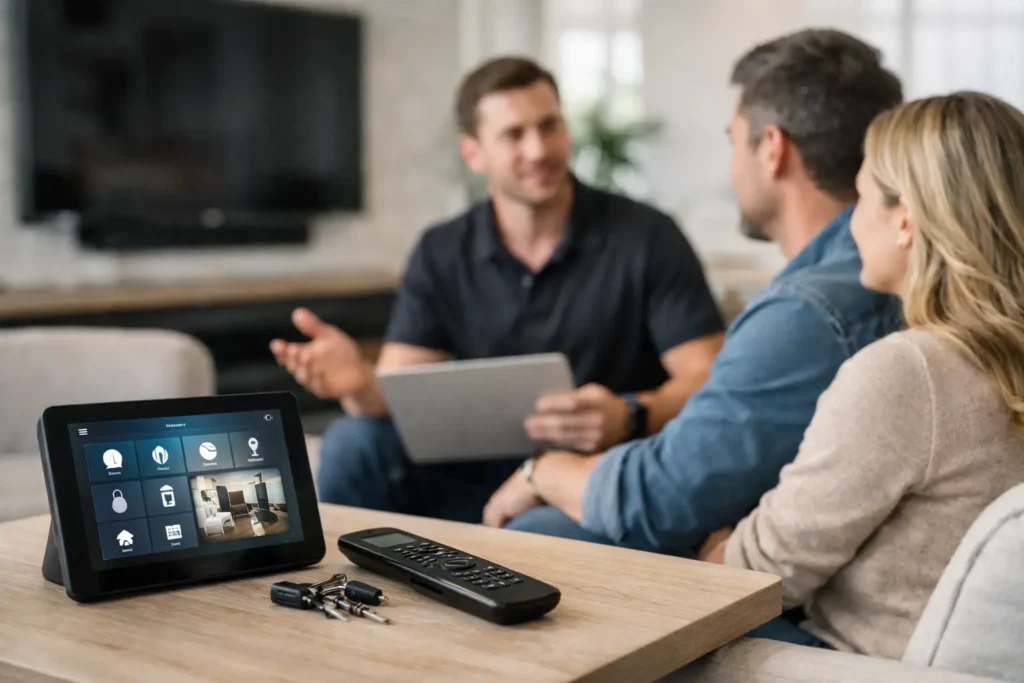
A remote should not require a stack of remotes, a printed cheat sheet, and a call to a family member just to watch a movie. A professional smart home remote programming service brings your TV, sound system, streaming devices, lighting, and other compatible equipment into one control experience that feels natural from the first button press.
For Orange County homeowners, the value is not simply having a nicer remote. It is having a system that works reliably when guests visit, when the kids want to stream a show, or when you want the room ready for a game without sorting through inputs, apps, and remotes. The right programming turns a collection of AV equipment into a home entertainment system you can actually enjoy.
What a Smart Home Remote Programming Service Does
Remote programming is the work of creating commands and routines that operate several devices in the correct order. For example, a single Watch TV button can turn on the display, activate the receiver or soundbar, select the proper input, and bring up your preferred streaming screen. A Movie button can lower a motorized screen, start a projector, set the surround sound receiver to the right source, and adjust compatible lights.
The details matter. Every component has its own startup time, input names, control method, and occasional quirks. A TV may be ready in a few seconds while an AV receiver needs longer. A cable box may require a specific command sequence. A streaming device might work over WiFi while an older component relies on infrared control. Good programming accounts for those differences rather than hoping all devices respond at the same time.
A well-planned system can combine control of entertainment equipment with selected smart-home features, including lighting, shades, ceiling fans, or outdoor audio. The goal is practical control, not adding unnecessary automation. If a feature makes everyday use easier, it belongs in the design. If it creates another point of confusion, it may not.
Why Generic Setup Often Falls Short
Many universal remotes and control apps promise quick setup. They can be useful for a simple TV and soundbar arrangement, especially when all equipment is current and connected directly. But homes rarely stay that simple. Add a receiver, Apple TV or Roku, game console, Blu-ray player, cable box, projector, multiple zones of audio, or smart lighting, and basic automated setup can leave gaps.
The common symptom is a remote that works most of the time. Most of the time is not good enough when the TV turns on but the audio does not, the system selects the wrong input, or the family has to restart everything after one missed command. These issues are often caused by small programming details: a command sent too early, an input label that does not match, an HDMI control setting working against the remote, or a device that was never fully integrated.
Professional programming also includes testing the equipment in real use. That means confirming what happens when a device is already on, when it is off, when someone changes inputs manually, or when WiFi briefly drops. A control system should recover gracefully instead of becoming a mystery every time something changes.
Start With How You Use the Room
The best remote layouts are built around activities, not equipment names. Most people do not think, “I need to activate HDMI Input 2 on the receiver.” They think, “I want to watch Netflix,” “I want to play a record,” or “I want music on the patio.”
That difference guides the entire design. A family room remote may need large, easy-to-read controls and a few clearly named activities. A dedicated home theater may benefit from more detailed commands for projector operation, surround sound modes, screen control, and lighting scenes. A media room shared by children, guests, and grandparents should be especially simple, with only the choices people use regularly placed front and center.
This is also where personalized recommendations matter. Some homeowners prefer a physical handheld remote with tactile buttons they can use without looking. Others want a touchscreen interface or a wall-mounted control panel. In many homes, the best answer is a combination: a straightforward remote for everyday use and a mobile app for secondary controls, settings, or whole-home functions.
Equipment That Can Be Controlled
A remote programming appointment can cover an existing system, a new installation, or a mix of older and newer devices. Common components include televisions, projectors, projection screens, AV receivers, soundbars, cable boxes, streaming players, game consoles, Blu-ray players, Sonos systems, and outdoor audio zones.
Compatible smart devices may also be incorporated when they improve the experience. For instance, dimming lights for a movie or turning on patio speakers for a weekend gathering can be useful routines. Security camera views can sometimes be called up on a compatible TV or control panel, although the best method depends on the camera system, network performance, and display equipment.
Not every product is equally controllable. Older components may need infrared emitters, while newer devices may require network-based control. Some products have limited integration options, and certain app-only features cannot be duplicated on every universal remote. An experienced installer explains those limits before promising a particular result, then recommends the most dependable path forward.
Reliable Control Depends on the Network
When a remote controls more than a TV and cable box, the home network becomes part of the system. Streaming players, smart TVs, wireless audio, control processors, and mobile apps all rely on consistent WiFi and network communication. If coverage is weak in the media room or the network is overloaded, a remote may appear to be the problem when the real issue is connectivity.
That is why remote programming should include a quick look at the surrounding infrastructure. Devices need stable connections, sensible placement, and clear communication with one another. In larger homes, a WiFi upgrade or better access-point placement may be more valuable than repeatedly reprogramming a control system that is fighting a weak signal.
The same principle applies to hidden equipment. A clean cabinet or equipment rack looks great, but it must allow proper ventilation and dependable signal control. If components are enclosed, an installer may use infrared repeaters or network control so the remote works whether the cabinet doors are open or closed.
What to Expect From a Professional Visit
A thorough appointment begins by identifying every component, how it is connected, and which activities matter most to your household. The technician checks cables, inputs, device settings, network connections, and existing control methods before building the remote interface. This upfront work prevents programming around an underlying installation problem.
Once the system is configured, each activity is tested several times. The technician should verify volume behavior, input switching, source control, shutdown commands, and any automation routines included in the project. Just as importantly, you should be shown how to use the system in plain language. A remote is only successful if the people in the home feel comfortable picking it up.
At Tri Star Home Theater, remote programming can also be part of a larger AV service visit. That is helpful when the issue involves a new TV, a soundbar that is not communicating correctly, a receiver upgrade, hidden wiring, a projector, or inconsistent WiFi. Addressing the full system at once often saves time and avoids the cycle of fixing one symptom while another remains.
When It Is Time to Reprogram or Upgrade
Consider service if your current remote has become unreliable, someone in the home avoids using the system, or a recent equipment change has made the setup harder to operate. A new television, streaming player, receiver, soundbar, or internet provider can all affect control behavior. Even a system that once worked well may need an update after years of changes.
An upgrade is also worth considering when you have outgrown the old setup. Perhaps the living room now includes surround sound, patio speakers, and smart lighting, or a remodel has added a projector and motorized screen. In these situations, piecing together separate remotes and apps usually adds frustration. A purpose-built control plan gives each room the right level of simplicity.
The best outcome is quiet reliability. You press one button, the room responds as expected, and the technology fades into the background so the conversation, movie, music, or game can take center stage.
Ready for a free consultation? Let’s get in touch! Call (949) 878-0531 Today