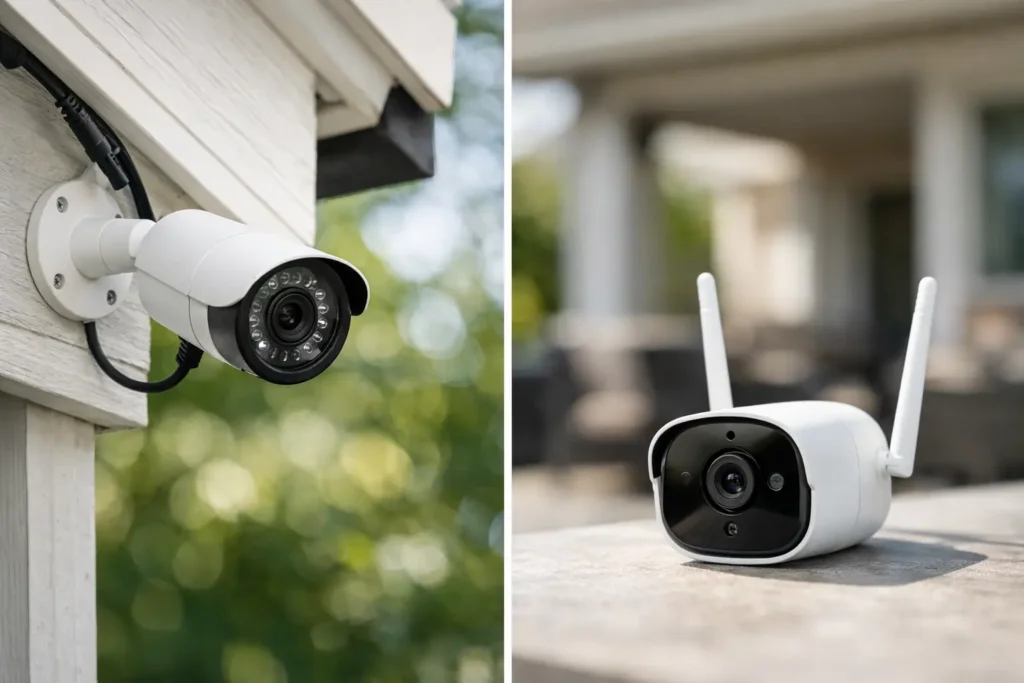
A security camera is only useful when it captures the moment you need and stays online when you are away. That is why the wired cameras vs wireless decision deserves more thought than simply choosing the camera with the best-looking app. The right system depends on your property layout, WiFi coverage, desired recording quality, and how much reliability matters to your household or business.
For many Orange County homeowners, wireless cameras are a convenient starting point. For others, especially properties with multiple exterior entry points, a wired system provides the dependable coverage they want. Here is how to make the choice with clear expectations about cost, performance, and installation.
Wired Cameras vs Wireless: The Core Difference
A wired security camera uses a physical cable to send video data and, in many cases, receive power. Modern professional systems commonly use Power over Ethernet, or PoE. One Ethernet cable connects each camera to a network video recorder, supplying both power and a stable data connection.
Wireless cameras send video over your home WiFi network. Some plug into a nearby outlet, while battery-powered models avoid a power cable altogether. They can record to cloud storage, a memory card, a base station, or a combination of those options.
The term “wireless” can be slightly misleading. A wireless camera may still need a power outlet, and it still relies on wiring somewhere in the system, including your modem, router, and internet connection. The real distinction is whether the camera itself has a dedicated physical connection for power and video.
When Wired Cameras Are the Better Choice
Wired cameras are usually the stronger option when reliability, continuous recording, and complete property coverage are priorities. A PoE camera does not depend on a WiFi signal reaching the far corner of a yard, detached garage, driveway, or side gate. Its connection is stable because the data travels through a cable directly to the recorder or network equipment.
This matters on larger homes, properties with stucco walls, or homes where the router is located far from exterior cameras. Building materials, neighboring networks, metal gates, and distance can all weaken WiFi. A camera with a weak signal may show delayed live video, miss portions of a recording, or disconnect at the worst possible time.
Wired systems also make sense for homeowners who want 24/7 recording. Battery cameras typically record short clips after motion is detected to preserve battery life. A properly designed wired system can continuously record every camera, giving you a fuller account of activity before, during, and after an event.
Video quality is another advantage. Wired cameras can support high-resolution footage without competing as heavily with phones, TVs, streaming devices, and smart home equipment for wireless bandwidth. This can be particularly useful for identifying faces, reading license plates, or monitoring a long driveway.
The trade-off is installation. Cables must be routed thoughtfully through attics, walls, soffits, crawl spaces, or conduit. A clean installation takes planning, but it also delivers a more permanent result. Professional low-voltage wiring keeps exterior runs protected and equipment organized rather than leaving visible cables or temporary-looking solutions.
Best uses for wired camera systems
A wired system is often the right fit for a primary residence with several perimeter cameras, a home undergoing renovation, a new build with access for pre-wiring, or a small business that needs dependable coverage during operating hours and overnight. It is also a smart choice when you want a local recorder that maintains footage even if the internet goes down.
When Wireless Cameras Make More Sense
Wireless cameras are appealing because they can be installed quickly and with far less disruption. If you want to monitor a front door, a single side entrance, a package drop area, or a temporary situation, a wireless camera may be exactly what you need.
Battery-powered models are especially practical where running a cable would be difficult or visually intrusive. They can work well at a rental property, on a gate, near a detached structure, or at a location where a full wired installation is not justified. Many include motion alerts, two-way audio, color night vision, and easy app controls.
For smaller homes with strong, well-designed WiFi, wireless cameras can provide reliable everyday coverage. The key is not to assume the signal is strong because streaming works in the living room. Outdoor camera locations may be much farther from the router and separated by dense walls or exterior finishes.
Wireless systems also require realistic expectations about maintenance. Battery cameras need charging or battery replacement. Motion sensitivity must be adjusted to avoid constant alerts from passing cars, pets, shadows, or landscaping. Cloud recording may involve an ongoing subscription, and video access can be affected when the internet service is down.
A wireless camera is not automatically less secure
A quality wireless camera with strong account passwords, two-factor authentication, current firmware, and a protected home network can be a sound security tool. The concern is less about wireless technology itself and more about poor setup. Default passwords, outdated routers, weak WiFi coverage, and shared account access create avoidable vulnerabilities.
A professional installation can improve the experience by placing cameras for the best signal and view, strengthening WiFi where needed, and configuring notifications so they are useful rather than overwhelming.
Compare Reliability, Cost, and Maintenance
The upfront price of a wireless camera is often lower, particularly for one or two cameras. Installation may be simple enough for a basic setup, and there is no need to open walls or run Ethernet cable. However, the total cost can increase with subscription plans, replacement batteries, WiFi upgrades, and additional devices such as range extenders or base stations.
A wired system usually costs more at the beginning because of labor, cable runs, a recorder, storage drives, and professional configuration. In return, it can offer fewer recurring fees, longer recording history, more consistent video, and less routine attention from the homeowner. The better value depends on whether you need a simple alert camera or a complete security system.
Maintenance is also different. Wireless cameras need periodic charging, app updates, and WiFi troubleshooting. Wired cameras should still be inspected and updated, but they do not require battery management. If a PoE system includes a battery backup for the recorder and network equipment, it can continue operating through short power interruptions as well.
Consider Your Internet and WiFi Before Buying
Your WiFi network is part of the security system if you choose wireless cameras. A home with several streaming TVs, Sonos speakers, smart thermostats, tablets, and work-from-home devices may already have a crowded network. Adding multiple high-resolution cameras can expose dead zones or bandwidth limits that were not obvious before.
Before selecting wireless cameras, test WiFi at every proposed mounting location. Do not test only from the room below it. Exterior walls, tile, stone, and landscaping can change the signal dramatically. In some homes, a properly placed access point or mesh WiFi upgrade makes wireless cameras a practical choice. In others, running Ethernet is the more dependable and cost-effective answer.
Placement Matters More Than the Camera Box
Whether a camera is wired or wireless, poor placement can defeat a good system. Cameras should cover approach paths and entry points without being aimed directly into the sun, blocked by trees, or mounted so high that faces become unrecognizable. A wide view is helpful, but it should not come at the expense of useful detail.
For most homes, the most valuable coverage begins at the front entry, driveway, side access, and backyard access points. A camera placement plan should account for lighting, privacy boundaries, motion zones, and the angle needed to see a visitor before they reach the door.
Tri Star Home Theater helps homeowners select camera systems that fit the property rather than selling a one-size-fits-all package. That includes clean cable routing, recorder setup, mobile app configuration, WiFi assessment, and camera positioning that supports real-world visibility.
How to Choose the Right System for Your Property
Choose wired cameras when you want continuous coverage, a larger multi-camera system, high-resolution recording, and the confidence of a dedicated connection. They are especially worthwhile during a remodel, when pre-wiring is easier and the finished installation can remain nearly invisible.
Choose wireless cameras when you need coverage quickly, have a limited number of locations, or cannot reasonably run cable. They are a good solution when WiFi is strong at the camera location and you are comfortable with battery charging or subscription-based recording.
Many properties benefit from a hybrid approach. For example, a home may use wired perimeter cameras and a wireless camera at a difficult-to-reach gate or detached area. The best system is not necessarily all wired or all wireless. It is the one designed around the places that need coverage, the infrastructure already in place, and the level of reliability you expect.
A well-planned camera installation should feel simple after it is complete: clear video, useful alerts, organized equipment, and no second-guessing whether the system will be there when you need it.
Ready for a free consultation? Let’s get in touch! Call (949) 878-0531 Today