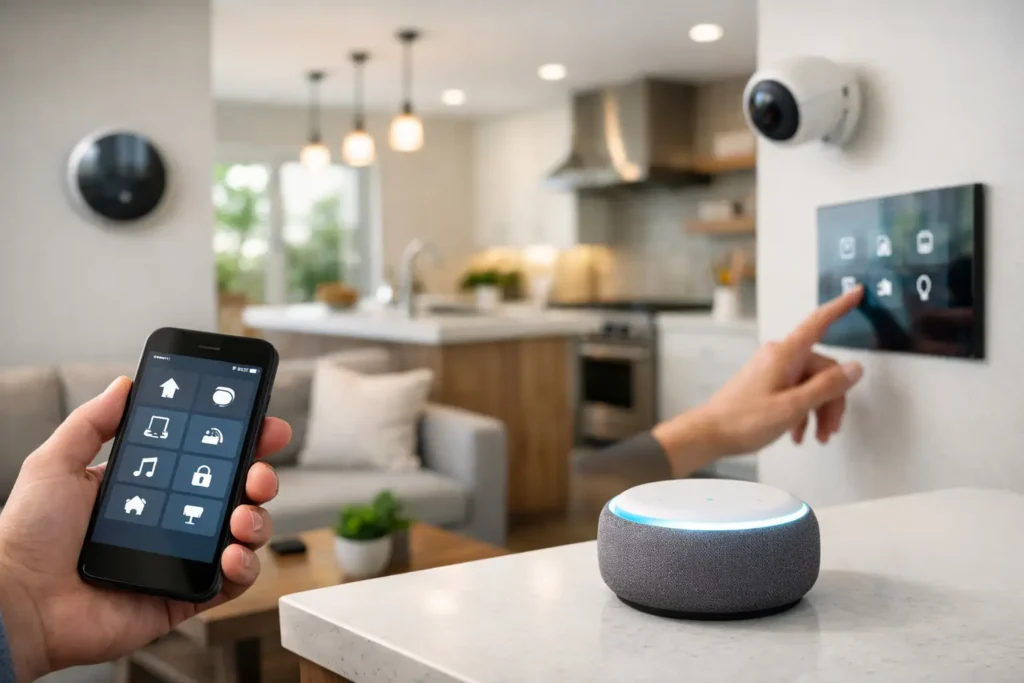
A well-planned Irvine smart home setup should make the house easier to live in, not turn simple tasks into troubleshooting sessions. The goal is not to automate every light switch or add an app for every device. It is to create reliable control for the things your household already uses: entertainment, WiFi, lighting, climate, security, and outdoor spaces.
For many Irvine homeowners, the challenge is not buying smart products. It is making products from different brands work together cleanly, reliably, and without leaving visible wires, dead WiFi areas, or a stack of remotes on the coffee table. A thoughtful plan solves those issues before equipment is installed.
Start Your Irvine Smart Home Setup With Daily Routines
The best system begins with how your family moves through the home. A household that regularly hosts friends may prioritize whole-home music, outdoor TV viewing, and simple lighting scenes. A busy family may care more about dependable WiFi, doorbell alerts, camera coverage, and a single command that turns off downstairs lights at bedtime.
Think about the small frustrations worth removing. Perhaps the living room TV requires three remotes. Maybe the upstairs office loses connection during video calls, or the patio speakers are difficult to use unless someone goes inside to adjust the receiver. Those are practical starting points because they lead to automation that gets used instead of forgotten.
A complete plan also accounts for who will operate the system. Voice commands can be convenient, but they should not be the only way to control an important feature. Wall keypads, familiar switches, a properly programmed remote, and a straightforward mobile app each have a place. The right mix depends on the room and the people using it.
Build on a Network That Can Handle the Load
Smart devices depend on the home network. If WiFi is inconsistent, smart locks respond late, cameras drop offline, streaming buffers, and voice assistants miss commands. Adding more connected products before addressing coverage often creates a more expensive version of the same problem.
A professional WiFi assessment looks beyond the speed advertised by the internet provider. It considers the home’s construction, square footage, wall materials, outdoor coverage needs, and the number of connected devices. Larger properties and homes with detached garages, patios, or pool areas often need professionally placed access points rather than a single router tucked into a cabinet.
Whenever possible, permanent equipment should use wired connections. Televisions, streaming devices, gaming systems, network switches, access points, and security camera recorders are generally more stable when connected by Ethernet. Low-voltage pre-wiring is especially valuable during a remodel, when cables can be routed through walls before drywall and finishes are complete.
That does not mean every smart product needs a wire. Battery-powered sensors and certain cameras can be useful where running cable is impractical. The trade-off is maintenance. Batteries need replacement, wireless signals can be affected by distance and construction, and some devices have fewer capabilities than their wired counterparts. The right choice is based on the location and how critical that device is.
Choose Controls That Feel Natural, Not Complicated
A smart home should reduce the number of decisions required to watch a movie, play music, lock up for the night, or leave for work. That is where centralized control makes a meaningful difference.
In a media room, one remote can turn on the TV or projector, select the correct input, start the streaming device, set the audio system, and adjust the room lighting. In a family room, a simple “Movie” scene might lower motorized shades, dim selected lights, and prepare the surround sound system. The experience feels polished because the underlying setup has been carefully programmed.
For lighting, smart dimmers are often more practical than relying on individual smart bulbs. A dimmer continues to work as a normal switch, so guests and family members are not left wondering which app controls the room. Smart bulbs can still be useful for accent lamps, under-cabinet lighting, or spaces where changing color is part of the experience.
Avoid building a system around too many separate apps. Brand-specific apps are useful for setup and occasional adjustments, but they are not a good everyday control strategy. Before choosing equipment, confirm that it can integrate with the preferred control platform and that core functions remain available if the internet connection is temporarily unavailable.
Keep Entertainment at the Center of the Plan
Home entertainment is often the most visible part of a smart home installation. A clean TV mount with concealed cables immediately improves a room, but the details behind the screen matter just as much. Proper power, structured wiring, ventilation for AV equipment, and access for future service protect the installation over time.
For a dedicated theater or media room, smart control can bring together projector operation, motorized screens, Dolby Atmos audio, lighting, and streaming sources. The system should be designed around seating position, room dimensions, viewing distance, and acoustics. More speakers are not automatically better if they are placed poorly or the room has not been considered.
Whole-home audio deserves the same planning. Sonos and similar systems make it easy to enjoy music in several rooms, but speaker placement, amplification, and network reliability determine whether the result sounds balanced and remains easy to use. Outdoor zones should be designed for the actual patio, pool, or entertaining area rather than simply placing speakers near the back door.
Add Security and Access With a Clear Purpose
Security cameras, video doorbells, smart locks, and driveway alerts can add convenience and peace of mind, especially when homeowners travel or receive frequent deliveries. A useful security plan starts with visibility: entrances, side yards, gates, driveways, and areas where packages are delivered.
Camera placement should respect both coverage and appearance. A camera mounted too high may miss identifying details. One installed too low may be easy to tamper with. Wired cameras typically offer the most dependable recording and can avoid frequent battery changes, while wireless options can be a practical fit for locations where wiring is not feasible.
It is also wise to decide how notifications will be handled before installation. Constant motion alerts quickly become noise, especially near busy streets or landscaping that moves in the wind. Proper motion zones, person detection settings, and camera angles help ensure that alerts are useful rather than disruptive.
Plan for Clean Installation and Future Changes
The equipment homeowners see is only part of the work. Behind the wall, a quality installation considers cable paths, power locations, equipment ventilation, labeling, and service access. A neatly organized equipment cabinet makes future upgrades and troubleshooting much easier than an unmarked collection of cords behind a TV stand.
During a renovation, this is the right time to run extra conduit and low-voltage cabling. Even if every cable is not used immediately, a pathway for future HDMI, Ethernet, speaker wire, or control wiring can prevent costly wall repairs later. Technology changes, but a well-planned wire route remains valuable.
Equipment selection should also match the home’s needs and budget. A modest living room may need a reliable soundbar, mounted TV, and stronger WiFi, not a complex rack system. A larger custom home may benefit from distributed video, multi-zone audio, security integration, and dedicated network hardware. Good design means spending where it improves the experience and avoiding features that add complexity without everyday value.
Why Professional Setup Changes the Experience
Smart home equipment is widely available, but installation is where compatibility, aesthetics, and reliability come together. Tri Star Home Theater helps homeowners coordinate those details, from TV mounting and cable concealment to WiFi upgrades, surround sound, outdoor entertainment, cameras, and integrated control.
Professional support is particularly valuable when an existing system has grown over time. Many homes have a mix of old remotes, streaming devices, speakers, routers, and smart products that work individually but not together. In those cases, the most sensible solution may be to simplify and reprogram what is already there rather than replace everything.
A smart home should feel quiet in the best sense of the word. The technology stays in the background while the movie starts correctly, the music reaches the patio, the cameras provide useful alerts, and the WiFi works where it is needed. Start with the routines that matter most, then build a system that can grow with the home.
Ready for a free consultation? Let’s get in touch! Call (949) 878-0531 Today