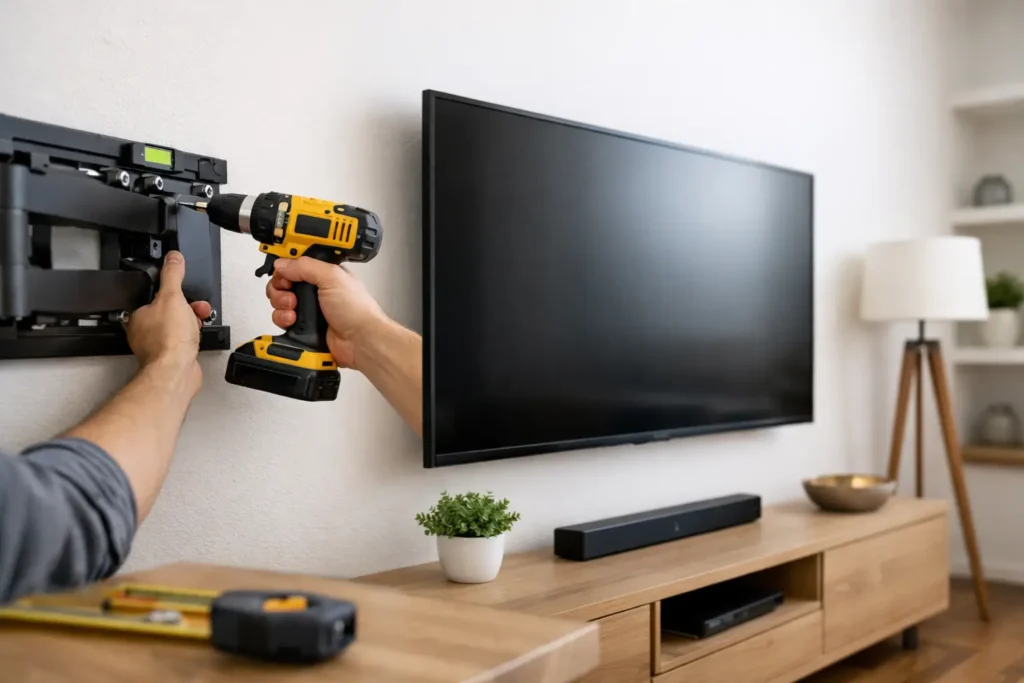
A big TV mounted a few inches too high can make movie night feel like neck strain with surround sound. A screen mounted on the wrong wall can turn daytime viewing into a glare fight. That is why a solid tv wall mounting guide matters – not just for getting the TV on the wall, but for getting the room right.
For most homeowners, the goal is simple: a clean look, safe installation, comfortable viewing, and no visible wire mess. The challenge is that every room changes the answer. Wall type, seating height, sunlight, fireplace placement, outlet location, and sound system plans all affect where and how a TV should be mounted.
What a good TV wall mounting guide should solve
The real question is not, Can the TV go on this wall? It is, Should it? A good mounting plan balances aesthetics with performance. The best-looking wall is not always the best viewing wall, and the most convenient spot can create issues with glare, awkward cable routing, or poor speaker placement.
In homes with open floor plans, the TV often has to work with multiple seating angles. In bedrooms, viewing height changes because you are more reclined. In family rooms, you may also need space for a soundbar, media console, or hidden components. Mounting is rarely just one decision. It is part of the entire entertainment setup.
Start with the wall, not the TV
Before choosing a bracket, look at the wall itself. Drywall over wood studs is usually straightforward. Drywall over metal studs, stone veneer, brick, tile, and above-fireplace surfaces all require more planning. Some surfaces can support a mount easily with the right hardware. Others need reinforcement or a different approach.
This is where DIY plans often go sideways. A mount may feel secure at first, then loosen over time if it was not anchored correctly for the wall type. Large TVs put a lot of stress on mounting points, especially when paired with full-motion brackets that extend away from the wall.
Wall condition matters too. If the wall is uneven, has hidden plumbing or electrical lines, or includes a shallow stud bay that limits cable routing, those details should be addressed before installation day. It is much easier to solve those problems upfront than after the TV is hanging.
Stud placement changes everything
Stud spacing does not always line up with the visual center of the room. That means the perfect viewing position and the strongest mounting position are not always the same. Sometimes a professional installer can work around that with the right mount or backing support. Sometimes the better move is adjusting the layout slightly so the TV is both centered enough to look right and anchored correctly to stay safe.
Choosing the right mount type
Flat mounts are the cleanest option when you want the TV close to the wall. They are ideal for rooms where the seating is directly in front of the screen and the viewing angle is already good. They also create the most built-in appearance, especially when paired with concealed wiring.
Tilting mounts are useful when the TV needs to sit a little higher than ideal, such as in a bedroom or above a console with limited wall space. A slight downward angle can improve comfort and reduce reflections. They are also helpful when access behind the TV matters.
Full-motion mounts offer the most flexibility, but they are not automatically the best choice. They work well in multi-use spaces where viewers may watch from a kitchen, breakfast nook, or side seating area. The trade-off is that they place more force on the wall and usually sit farther off the surface. If your priority is a tight, low-profile look, a full-motion arm may not give you the result you want.
Bigger TV does not always mean better mount choice
Large screens often tempt homeowners into choosing the strongest-looking bracket available. But mount selection should match both the TV and the room. An oversized, articulated mount on a wall that only needs a fixed viewing angle can add cost, depth, and unnecessary complexity. The right solution is the one that supports the TV properly and fits how the room is actually used.
The right height is about your eyes, not the wall
One of the most common mounting mistakes is placing the TV too high because it looks balanced on a big wall. Good viewing height is based on seated eye level. In most living rooms, the center of the screen should land close to where your eyes naturally rest when seated.
That changes by room. In a bedroom, a higher position can make sense because the viewer is reclined. In a media room with deeper seating, the best height may be slightly lower than expected. Above a fireplace, comfort becomes more difficult. It can be done, but it depends on mantel depth, heat exposure, viewing distance, and whether a tilt solution can correct the angle enough to make it watchable.
If the only available space is above the fireplace, it is worth evaluating the trade-offs honestly. It may look clean, but appearance alone does not fix poor ergonomics.
Don’t ignore glare and natural light
A beautiful room with large windows can become frustrating once the TV is on. Reflections from sliding doors, skylights, and west-facing windows often look minor during installation and obvious at 4 p.m. every day.
Before mounting, consider how the room changes throughout the day. If sunlight hits the screen directly, a different wall may be better. If moving the TV is not realistic, a tilt mount or adjusted screen angle may help, but it will not solve every glare problem. In some rooms, the right answer includes a combination of placement and window treatment.
Plan the wires before the bracket goes up
Cable concealment is usually what separates a basic mount from a polished installation. Even a high-end TV can look unfinished if power cords and HDMI cables are dangling below it.
A clean setup starts with knowing what needs to connect. That may include a soundbar, streaming device, cable box, gaming console, network line, or in-wall rated HDMI to an equipment location. If you are thinking about adding Sonos, surround sound, or a hidden component cabinet later, plan for that now. Running one extra cable during installation is much easier than reopening the wall later.
In-wall power and low-voltage planning
Power and signal wiring should be handled correctly and safely. In many cases, homeowners want a recessed outlet behind the TV and low-voltage pass-through for HDMI and network lines. That creates the cleanest finished look and avoids the common mistake of trying to hide cords in ways that are not appropriate for in-wall use.
If the room is being remodeled, pre-wiring opens up even more options. It is often the best time to think beyond the TV itself and prepare for speakers, subwoofers, control systems, or stronger WiFi coverage nearby.
Sound should influence placement
This part gets missed all the time. The TV may be centered perfectly, but the audio setup ends up compromised. A soundbar needs proper clearance and alignment. Left, center, and right speakers need room to perform correctly. If the TV is mounted too low over furniture, the soundbar may block the screen. Too high, and the speaker placement can feel disconnected from the picture.
If you are building around Dolby Atmos, a projector room, or a more complete home theater system, the screen location should be coordinated with the whole layout. Mounting first and solving sound later often leads to avoidable rework.
When professional installation makes the most sense
A straightforward install on drywall with visible cord cover may be a reasonable DIY project for some homeowners. But once the TV gets larger, the wall surface gets harder, or the room needs concealed wiring and integrated audio, professional installation usually saves time and prevents expensive mistakes.
That is especially true when the project includes over-fireplace mounting, stone or tile surfaces, full-motion brackets, in-wall cable routing, soundbar mounting, or troubleshooting existing wiring. In those cases, experience matters because the job is not just about hanging a screen. It is about getting the details right the first time.
For homeowners in Newport Beach and surrounding Orange County communities, that often means working with a local specialist who can look at the room, ask the right questions, and recommend a setup that fits both the space and the way the family actually uses it.
A smart tv wall mounting guide should leave you with one clear takeaway: the best mount is not the one that fits the box, it is the one that fits the room. When height, wall type, wiring, lighting, and sound are planned together, the result feels effortless every time you turn the TV on.
Ready for a free consultation? Let’s get in touch! Call (949) 878-0531 Today