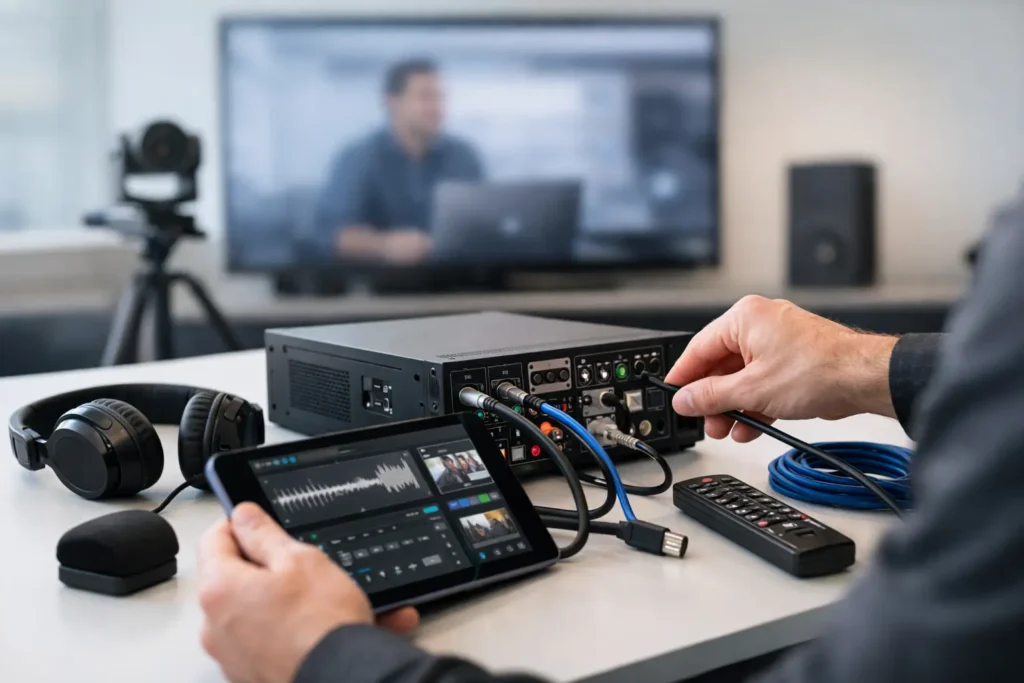
A movie night usually goes wrong in the same frustrating way. The screen powers on, the streaming app opens, and then something breaks the moment everyone sits down – no sound, no picture, lips out of sync, or a remote that suddenly controls nothing. A good audio video troubleshooting guide helps you narrow the problem quickly, without unplugging every cable in the room or guessing your way into a bigger mess.
Most AV issues come down to one of five areas: power, signal path, settings, network stability, or hardware failure. The trick is knowing which one to check first. If you start in the right place, many problems can be solved in minutes. If you start in the wrong place, a simple setting issue can turn into an hour of frustration.
How to use this audio video troubleshooting guide
Think of your system as a chain. Your source device, whether it’s a cable box, Apple TV, Roku, game console, Blu-ray player, or security camera feed, sends signal through cables or a network to a display and audio system. If any link in that chain fails, the whole system looks broken.
That is why the best first step is always isolation. Ask one simple question: what still works? If the TV has picture but no sound, your issue is different from a full black screen. If Netflix buffers but live TV works, the problem is likely network-related rather than a bad HDMI cable. If one room has issues and the rest of the house is fine, the problem is probably local to that equipment, not the internet provider.
No picture on the TV or projector
If the screen is black, start with input selection before anything else. It sounds obvious, but many service calls come down to the display being on HDMI 2 while the source is connected to HDMI 1. Projectors add another layer because some also have signal timing quirks or startup delays that make it look like nothing is happening.
Next, confirm that the source device is actually on. A streaming box can appear off when the TV is on, especially if the system uses multiple remotes or a universal control setup. Look for a status light on the source. If possible, test another source on the same TV input. That tells you whether the issue is the display, the source, or the path between them.
HDMI is often the real problem. A loose connection, damaged cable, failed balun, or unsupported signal format can all cause a black screen. With 4K and HDR systems, cable quality matters more than many homeowners realize. A cable that worked fine with an older setup may struggle once higher bandwidth formats are introduced. If the image cuts in and out, sparkles, or disappears after a few seconds, signal integrity is a likely cause.
With projectors, lamp life, filter condition, and ventilation also matter. If a projector overheats or the lamp is near failure, it may shut down or produce a dim image that looks like a source issue. In a dedicated theater room, these small maintenance details make a big difference over time.
No sound or sound from the wrong speakers
When you have picture but no sound, check whether the audio should be playing through the TV, a soundbar, or an AV receiver. Many systems get tripped up after someone changes one setting in the TV menu or adds a new streaming device. ARC and eARC settings are especially common trouble spots because they depend on compatible ports, correct cable connection, and matching audio settings.
If you use a soundbar or receiver, make sure the TV audio output is set correctly. Some TVs revert to internal speakers after a software update or power interruption. Others may output PCM, Dolby Digital, or passthrough differently depending on the app or input source. That matters because certain receivers and soundbars handle these formats better than others.
If surround speakers are silent, the content itself may be the issue. Not every show or stream is mixed for full surround playback. A two-channel source can leave rear speakers quiet unless the receiver is set to a processing mode that expands the sound field. This is one of those areas where it depends on your goals. Some homeowners want absolute source accuracy. Others prefer hearing all speakers active all the time.
If only one speaker is out, suspect wiring, speaker terminals, or amplifier channel issues. In-wall and in-ceiling speaker systems can also develop problems from loose banana plugs, damaged wire runs, or misconfigured zone settings. Swapping the speaker connection to another channel can help identify whether the issue is the speaker itself or the receiver output.
Audio and video are out of sync
Lip-sync problems are common in smart home and home theater setups because modern systems process video and audio in different ways. The TV may be scaling the picture while the soundbar processes surround decoding, and those timing differences can create a noticeable delay.
Start by checking the audio delay or lip-sync setting in the TV, soundbar, or receiver. Many systems include automatic correction, but manual adjustment is often more reliable. If the issue happens only in one app, the app may be the source of the problem rather than the hardware.
Wireless audio products can also introduce delay. That does not mean wireless is bad, but it does mean placement, network traffic, and product compatibility matter. If the system uses a mix of wired and wireless components, small timing mismatches are more likely.
Streaming issues, buffering, and WiFi dropouts
A lot of AV complaints are really network problems wearing an AV disguise. The TV may be fine. The sound system may be fine. But if the streaming box or smart TV has unstable WiFi, the whole entertainment experience falls apart.
Start with speed and consistency. A home can have decent internet service and still have poor streaming performance in the media room. Distance from the router, wall construction, interference, and overloaded mesh nodes can all create weak real-world performance. This is especially common in larger homes, remodeled properties, and outdoor entertainment areas.
If one device buffers constantly while another streams normally in the same room, the issue may be the device itself. Older smart TVs often have weaker wireless hardware than dedicated streaming boxes. In many cases, a hardwired connection or a stronger WiFi design solves more problems than replacing the TV.
Network congestion also matters. Security cameras, gaming consoles, laptops, and smart home devices all compete for bandwidth and airtime. During peak use, you may notice slow menu response, lower streaming quality, or delayed control commands. That is often a sign the network needs improvement, not just the entertainment components.
Remote control and control system problems
When a remote stops working, people often assume the batteries are dead. Sometimes that is true. Just as often, the issue is a lost pairing, blocked sensor, incorrect activity, or control processor glitch.
If you use a universal remote, make sure the system is in the right activity mode. A remote set to Watch TV may not control the Apple TV the same way it controls the cable box. If components were replaced and the programming was never updated, certain commands may partially work while others fail.
For IR-based systems, cabinet doors, decorative panels, or moved components can block signals. For RF and app-based control, network stability becomes part of the equation. That is why control problems can feel inconsistent – the remote itself may be fine, but the path to the device is not.
When the issue is bigger than a quick fix
There is a point where troubleshooting stops being efficient. If cables are hidden in walls, equipment is stacked in a closet, or the system includes receivers, matrix switches, projectors, outdoor zones, whole-home audio, camera integration, or smart control, it makes sense to have a professional trace the signal path cleanly.
That is especially true when problems repeat. Intermittent HDMI failures, recurring WiFi dropouts, overheating receivers, and devices that need constant rebooting are usually symptoms of a deeper design issue. Sometimes the fix is simple. Sometimes the system needs better cable management, stronger network support, updated programming, or a more compatible equipment layout.
For homeowners in Orange County, that local service piece matters. A family-owned company like Tri Star Home Theater can diagnose whether the problem is a bad component, a setup issue, or a system design flaw, and then actually fix it instead of pointing fingers between brands.
A smarter way to prevent future AV problems
The best troubleshooting is the kind you never have to do. Reliable systems start with proper installation, labeled connections, clean wiring, correct settings, strong WiFi, and components that are matched to the room and the way you actually use it. A beautiful setup is not just about hidden wires and a mounted TV. It is about making sure the system responds properly every day.
If your audio or video system works only when you follow a complicated routine, something is off. Good AV should feel simple to use, even when the technology behind it is advanced. And when it does act up, a clear process beats random trial and error every time.
Ready for a free consultation? Let’s get in touch! Call (949) 878-0531 Today