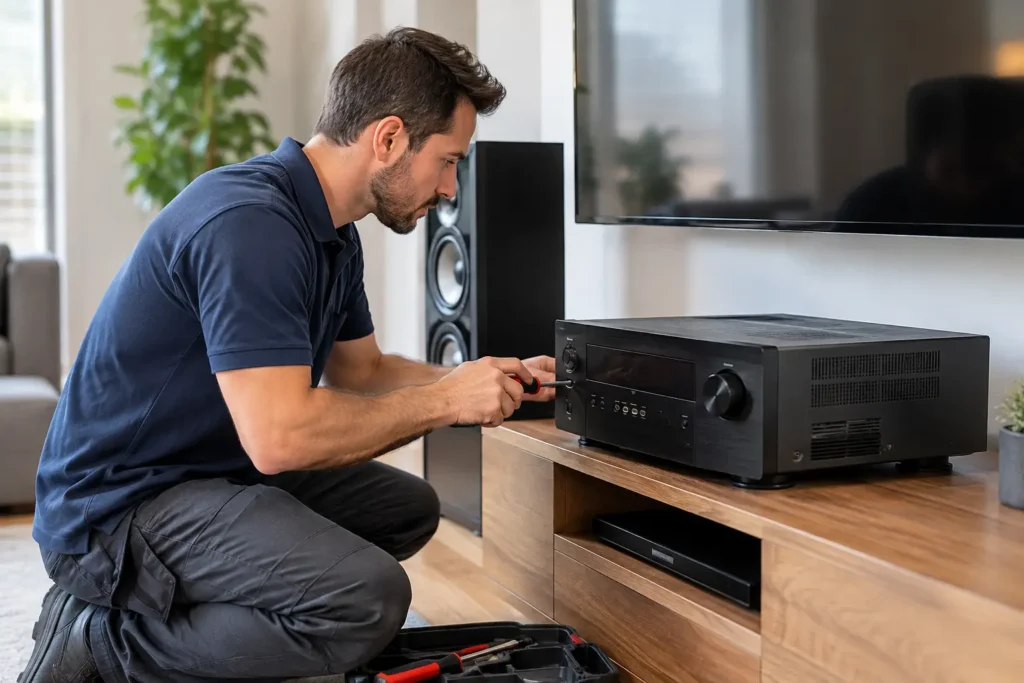
A movie starts, but the center speaker is silent. Or the picture drops out every time the receiver turns on. These are the moments when home theater repair becomes more than a technical nuisance – it interrupts the way your family relaxes, entertains, and uses the room.
The good news is that many AV problems have a clear cause. The harder part is finding that cause without randomly replacing equipment, disturbing neatly concealed wiring, or changing settings that were working perfectly before. A careful repair process protects the system you already own while identifying where an upgrade may actually make sense.
Start With the Symptom, Not the Equipment
A home theater is a chain of connected components: a TV or projector, receiver, speakers, streaming devices, cables, network equipment, remotes, and sometimes smart-home controls. A failure in one part can look like a problem somewhere else.
For example, no picture does not automatically mean the TV has failed. The issue could be an HDMI cable that no longer supports the signal format, a receiver setting, a source device that needs a restart, or a handshake problem between components. Likewise, weak sound may come from a speaker, but it can also result from an incorrect audio mode, a loose connection, a damaged in-wall wire, or room calibration settings.
This is why a symptom-first approach matters. Notice when the issue began, whether it affects every source or only one, and whether it happens consistently or only after the system has been running for a while. Those details help narrow the diagnosis quickly and prevent unnecessary purchases.
Common Home Theater Repair Problems
No Sound or Missing Speaker Channels
A surround system can appear to be working while one or more channels remain silent. This is especially common after a power interruption, equipment update, furniture move, or remote setting change. A receiver may switch to stereo mode, disable a zone, or lose its speaker configuration.
Before assuming a speaker has failed, confirm that the receiver is set to the intended surround mode and that the speaker wire connections are secure at both ends. If the speaker is mounted in a wall or ceiling, avoid pulling on wires or removing grilles aggressively. Older wiring, paint buildup, and tightly fitted speakers can turn a simple check into cosmetic damage.
When sound cuts in and out, overheats, distorts, or shuts down at higher volume, the issue deserves a professional diagnosis. An overloaded receiver, incorrect speaker impedance, failing amplifier channel, or short in the wiring can all produce similar symptoms.
TV, Projector, or HDMI Signal Problems
Black screens, intermittent picture loss, error messages, and a TV that only works when a device is plugged in directly are often HDMI-related. Modern video signals place real demands on cables and equipment. A cable that handled an older streaming box may not reliably carry 4K HDR content, gaming signals, or an advanced audio return channel.
The practical first step is to restart the full signal path in order: TV or projector, receiver, and source devices. Then test one source with one known-good cable. If the picture returns, add components back one at a time. This isolates the problem instead of creating a new maze of changed settings.
Projector repair can require a closer look. A dim picture may mean the lamp or laser light source is aging, but it can also be caused by a dirty filter, incorrect image settings, lens issues, or a source device sending the wrong resolution. Projector placement and ventilation also matter. A projector operating in a tight cabinet can run hot and shorten component life.
Remote Controls That No Longer Control the Room
A universal remote or control system should reduce friction, not create it. When it stops turning on every component in the right order, users often end up with several remotes and no confidence about which button to press.
Sometimes the fix is as simple as fresh batteries, an obscured infrared sensor, or a source input that changed after an update. Other times, the remote needs programming adjustments, network reconnection, or a new control strategy. This is particularly true when a room combines a TV, receiver, cable box, streaming device, motorized shades, lighting, and multiple zones of audio.
A good repair does not just make the remote work once. It confirms that the system is easy for everyone in the home to use afterward.
Streaming, WiFi, and Smart Home Frustrations
Buffering video and delayed app controls are frequently blamed on the TV, but the real culprit is often the network. A theater system can be perfectly installed and still underperform if the WiFi signal is weak, the router is outdated, or too many devices are sharing limited bandwidth.
A wired network connection is often the most reliable choice for fixed components such as TVs, receivers, streaming devices, and gaming consoles. It depends on the home and construction, however. In some rooms, a properly designed mesh WiFi system is the more practical solution. The goal is stable performance, not simply adding another extender.
What You Can Safely Try First
There is value in basic troubleshooting, particularly when a system was working normally the day before. Check power connections, replace remote batteries, verify the selected TV and receiver inputs, and restart equipment. If you have an accessible HDMI cable, testing with it can also reveal whether a cable has failed.
Keep changes limited and documented. Changing every setting at once may make the original issue harder to identify. Take a photo of receiver settings or cable connections before moving anything, especially in a cabinet with many similar wires.
Avoid opening receivers, amplifiers, projectors, or powered subwoofers. These devices can retain electrical charge, and internal repairs are not a safe DIY project. The same caution applies to wall-mounted TVs, ceiling speakers, and concealed low-voltage wiring. The risk is not only electrical – a loose TV mount, damaged drywall, or cut wire can create a far more expensive repair.
When Repair Is Better Than Replacement
Replacing equipment can be worthwhile when a component no longer supports the video, audio, or control features you need. An older receiver without 4K pass-through, for instance, may limit a newer TV and streaming setup. A dated WiFi system may be the reason smart devices feel unreliable throughout the house.
But replacement is not always the answer. A quality speaker system can last for decades. A well-installed projector screen may only need adjustment. A receiver that appears outdated may simply need proper configuration, a firmware update, or a compatible connection method.
The best decision comes from looking at the complete system. Replacing one component without checking compatibility can introduce fresh issues, especially with HDMI standards, surround formats, control systems, and hidden wiring. A repair technician should explain what can be fixed, what should be upgraded, and why – without pushing equipment that does not solve the actual problem.
The Value of a Professional Diagnosis
Professional home theater repair is most useful when the system is integrated, wires are concealed, or the problem is intermittent. Those situations call for more than swapping cables. They require testing signal paths, checking power and network behavior, verifying audio calibration, and understanding how the room was originally designed.
For homeowners in Newport Beach and throughout Orange County, Tri Star Home Theater provides hands-on troubleshooting for existing systems as well as practical upgrades when repair alone is not the right long-term answer. That might mean restoring a surround sound system, correcting a projector issue, programming a remote, improving WiFi coverage, or cleaning up an entertainment area that has become difficult to use.
The right repair should leave the room simpler than it felt before the problem began. You should be able to turn on the system, choose what you want to watch, and enjoy the experience without wondering which cable, input, or remote is going to fail next.
Ready for a free consultation? Let’s get in touch! Call (949) 878-0531 Today