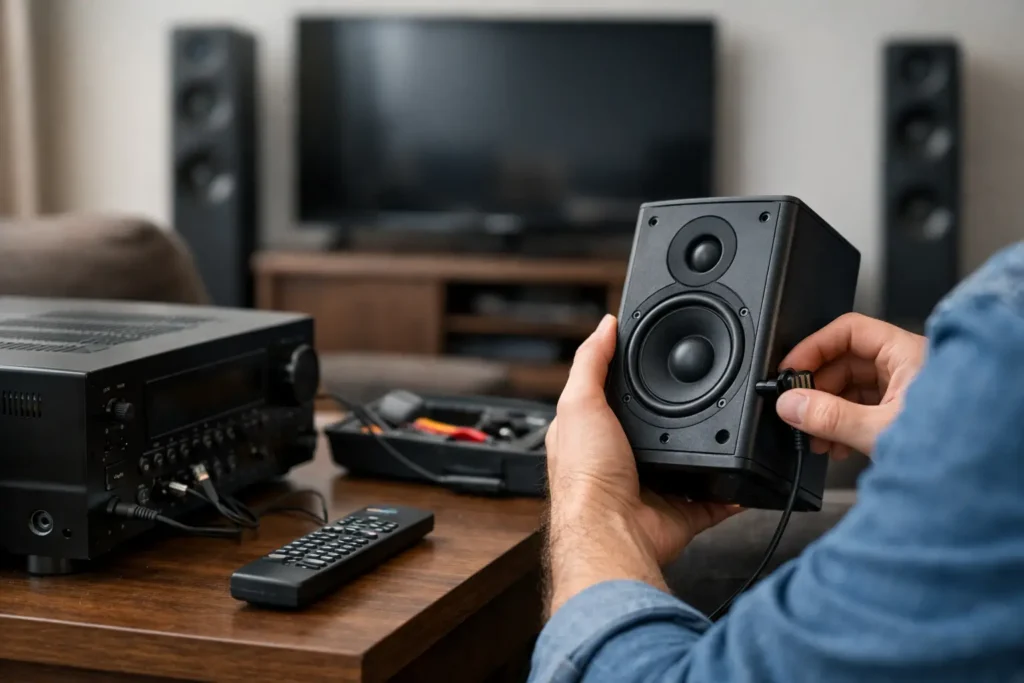
A movie reaches its best scene, the soundtrack swells, and then the rear speakers go silent. If you are asking, “why does surround sound cut out,” the answer is usually not that the entire system has failed. Most dropouts come down to a connection problem, an audio setting, a receiver protection issue, or a source device that is not delivering the signal you expect.
The key is noticing when the sound disappears. Does it happen only with streaming? Only at high volume? Does one speaker cut out, or does the whole system lose sound? Those details narrow the diagnosis quickly and help avoid replacing equipment that may only need a simple adjustment or repair.
Why Does Surround Sound Cut Out During Movies or TV?
A surround sound system depends on several components working together: the TV, source device, HDMI cables, AV receiver or soundbar, speakers, network connection, and sometimes a universal remote or control system. A weak point anywhere in that chain can cause an interruption.
When all speakers cut out at once and return a few seconds later, the issue often involves the receiver, HDMI handshake, or audio format. When only one channel drops out, the speaker wire, speaker itself, or that specific receiver channel is more likely to blame. If audio only cuts out during streaming, start with the network and the streaming device before assuming the speakers are at fault.
HDMI Handshake Problems
HDMI is convenient because it carries high-quality video and audio through one cable. It can also be temperamental. An HDMI handshake occurs when devices identify each other and agree on video resolution, copy protection, and audio format. If the TV, receiver, Apple TV, cable box, gaming console, or projector loses that connection even briefly, the audio may mute, switch formats, or disappear.
This is especially common after a TV software update, a power outage, or a change in equipment. A cable that worked reliably with an older television may struggle with a newer 4K or 8K system because the required bandwidth is higher.
Start by powering down all connected equipment, then turn it back on in order: TV or projector first, receiver second, and source device last. Confirm that HDMI cables are fully seated and not bent tightly behind the equipment. For longer runs through walls or cabinets, cable quality and proper signal distribution matter even more.
Incorrect TV and Receiver Audio Settings
A system can appear to be malfunctioning when it is simply receiving a stereo signal or an unsupported surround format. For example, a TV may be set to send PCM audio rather than Bitstream, Auto, or Pass Through. PCM can be appropriate in some setups, but it may limit multichannel sound depending on the equipment.
Audio Return Channel settings can also create confusion. If a sound system is connected through HDMI ARC or eARC, both the TV and receiver need compatible settings. eARC is designed to carry higher-bandwidth formats, including many Dolby Atmos tracks, but it can be less forgiving when firmware, cables, or settings do not match.
Check the TV’s digital audio output setting, the receiver’s input assignment, and the active sound mode. A receiver set to a direct or stereo mode may intentionally leave surround speakers quiet. That is different from a dropout. The front panel display or on-screen menu usually shows whether the incoming signal is Dolby Digital, Dolby Atmos, DTS, stereo PCM, or another format.
Receiver Overheating or Protection Mode
If surround sound cuts out after the system has been playing loudly for a while, heat deserves attention. AV receivers generate substantial heat, particularly when they are powering several speakers in an enclosed cabinet. When internal temperature rises too high, the receiver may enter protection mode and shut down audio to prevent damage.
A receiver needs open space around its vents. Stacking components on top of it, closing it inside a tight media cabinet, or allowing dust to block ventilation can shorten its life and cause intermittent performance. A cooling fan system may be worthwhile for equipment installed in cabinetry, but placement and airflow should be evaluated properly rather than treated as an afterthought.
Protection mode can also result from a speaker wiring fault. A loose strand of copper wire touching the adjacent terminal can create a short. So can damaged wire hidden behind a wall, a pinched cable under furniture, or an impedance mismatch caused by connecting too many speakers to one amplifier channel.
Turn the receiver off before inspecting wiring. At each speaker and receiver terminal, make sure the positive and negative conductors are secure and separated. If the receiver continues to shut down after wiring is checked, leave it powered off and have the system diagnosed. Repeatedly resetting a receiver that is entering protection mode can make a small issue more expensive.
When One Surround Speaker Keeps Cutting Out
A single silent speaker calls for a more focused test. First, verify that the speaker is enabled in the receiver’s setup menu and that its level has not been turned down. Then gently check the wire connections at both ends.
If the problem continues, swap that speaker with a working speaker using the same wire. If the issue follows the speaker, the speaker may have an internal problem. If the replacement speaker also cuts out in the original location, the wire run or receiver channel is the likely cause.
This simple test is useful because it separates the three most likely failures without guesswork. It is also safer than opening speakers or trying to repair an amplifier channel without the right tools.
Streaming, WiFi, and Wireless Surround Dropouts
Wireless speakers and soundbars offer a clean look, but they depend on stable wireless communication. Sonos surrounds, wireless subwoofers, and other WiFi-based systems may drop out when the network is overloaded, poorly placed, or competing with nearby wireless devices.
A strong internet plan alone does not guarantee reliable audio. The issue may be WiFi coverage inside the home, interference from neighboring networks, a router tucked inside a cabinet, or a mesh system that is not positioned for the home’s layout. Large homes, concrete walls, metal-framed cabinetry, and outdoor entertainment areas can all affect signal performance.
If dropouts occur mostly at certain times of day, network congestion is a strong possibility. Restarting the router may provide temporary relief, but consistent performance often requires better access point placement, updated network hardware, or a wired connection for key components. In a professionally designed system, the home’s network is treated as part of the entertainment system, not as a separate convenience.
Audio Format Changes Can Sound Like a Failure
Not every program carries a true surround soundtrack. A sports broadcast may switch between stereo commercials and multichannel game audio. Streaming apps can deliver different formats depending on the title, subscription tier, device, and connection quality. Some older content is stereo only.
Your receiver may change processing modes as the incoming format changes. That transition can cause a brief pause, particularly on older equipment. It may also make rear speakers seem inactive during dialogue-heavy scenes, which is often normal. Surround channels are intended for ambient effects and directional cues, not constant sound.
Try the same scene from a known surround title, then test another source such as a Blu-ray player, cable box, or game console. If one source consistently causes the issue while others do not, focus troubleshooting there.
A Practical Order for Troubleshooting Surround Sound
Avoid changing every setting at once. Begin with the easiest checks: confirm the receiver is on the correct input, verify the sound mode, and inspect visible cables. Next, restart the system in the proper order and test another source.
If the problem is isolated to one speaker, test the speaker, cable, and receiver channel by swapping components. If it affects the entire system at higher volumes, inspect ventilation and speaker wiring. For wireless systems, test network stability and device placement.
Keep a short note of what triggers the dropout. A reliable pattern, such as sound failing only after 30 minutes or only when using the TV’s built-in apps, gives a technician far more useful information than “the surround sound sometimes stops.”
When Professional Service Makes Sense
Some issues are straightforward, but concealed wiring, rack-mounted receivers, HDMI distribution, in-wall speakers, and integrated control systems can make troubleshooting more involved. A professional evaluation is particularly useful when a receiver enters protection mode, a cable run is inaccessible, audio repeatedly drops with multiple sources, or a remodel has changed the system layout.
Tri Star Home Theater helps homeowners throughout Orange County diagnose and repair surround sound issues without pushing unnecessary replacements. The goal is to identify the actual failure point, whether it is a loose termination, a compatibility setting, a network weakness, or equipment that has reached the end of its useful life.
A home theater should disappear into the experience, not demand attention every time you press play. Ready for a free consultation? Let’s get in touch! Call (949) 878-0531 Today