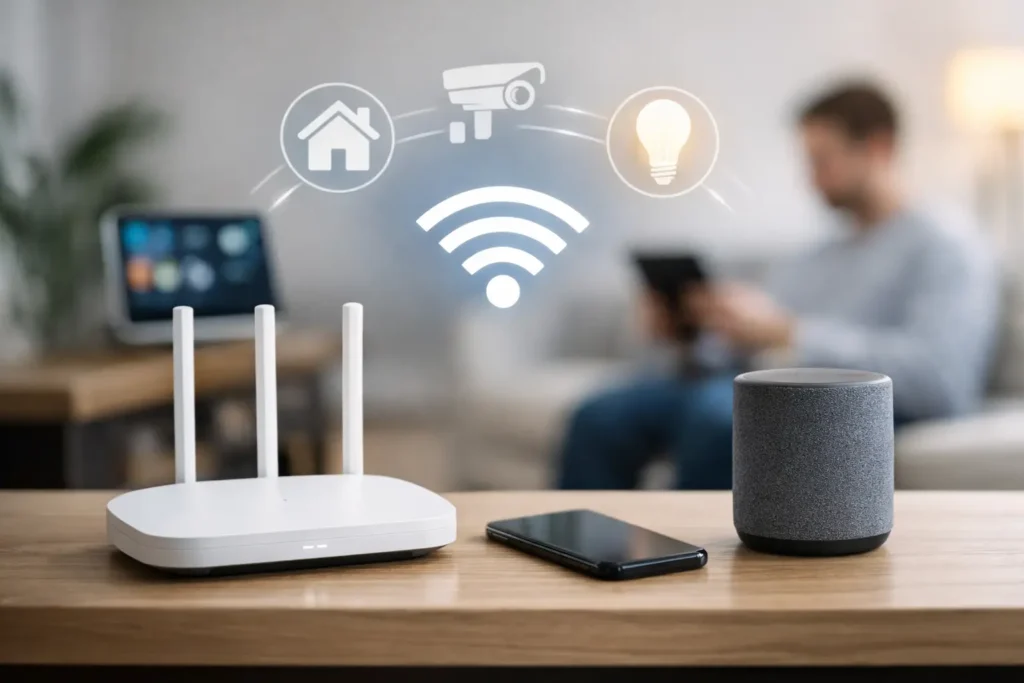
A smart home can feel frustratingly unreliable when the network underneath it was designed only for a few phones and a streaming TV. Lights delay, cameras drop offline, music skips between rooms, and a video call slows down the moment someone starts a 4K movie. A properly planned wifi setup for smart homes prevents those everyday problems before they become a constant source of troubleshooting.
For homeowners in Orange County, WiFi planning is especially valuable during a remodel, a home theater upgrade, or the addition of security cameras and outdoor entertainment. The right system is not necessarily the most expensive one. It is the one designed around the home, the number of connected devices, and the way your family actually uses technology.
Start With the Home, Not the Router
The first question is not, “Which router should I buy?” It is, “What does the network need to support?” A compact condo with a handful of smart lights has different needs from a multi-level Newport Beach home with streaming TVs, Sonos speakers, thermostats, cameras, motorized shades, smart locks, tablets, work laptops, and outdoor access points.
Square footage matters, but so do wall materials, floor plans, cabinetry, mirrors, stone surfaces, and the location of the internet service entry point. A router placed inside a metal media cabinet or at one far end of the house may deliver a strong signal nearby and weak performance everywhere else. WiFi signals do not travel through dense walls and floors as cleanly as most product packaging suggests.
Before installing equipment, map the areas where connectivity matters most. That usually includes the primary TV or theater room, home office, bedrooms, kitchen, outdoor living area, front door camera, and any detached space that needs coverage. This simple step keeps the design focused on real performance rather than advertised coverage numbers.
Choose a WiFi Setup for Smart Homes That Can Grow
A basic all-in-one router may be enough for a small home with light use. Once a home has multiple streaming zones, smart devices, security cameras, and remote work needs, a mesh WiFi system or professionally installed access point network is often a better fit.
Mesh systems use multiple wireless units to extend coverage. They can be a practical upgrade when running new cable is not possible. Their convenience comes with a trade-off: when mesh units communicate wirelessly with one another, that communication uses some of the available wireless capacity. Performance can still be very good, but placement becomes more critical.
For larger homes, wired access points are typically the more dependable solution. Each access point connects back to the network using Ethernet cable, allowing it to provide full-strength WiFi where it is needed without relying on a distant wireless signal. This approach is particularly useful for dedicated media rooms, offices, guest areas, and outdoor spaces.
If walls are open during construction or renovation, install more low-voltage cabling than you think you need. Ethernet runs to TV locations, ceiling access point locations, equipment racks, offices, and camera positions provide options for years to come. WiFi standards will change, but well-installed cable remains valuable infrastructure.
Why wired backhaul makes a difference
A wired backhaul is simply the Ethernet connection between your router, switches, and access points. It reduces the wireless traffic that must travel between mesh units and helps support high-demand activities such as 4K streaming, gaming, video conferencing, cloud backups, and camera recording.
It is not required for every home. A well-positioned mesh system can be an excellent answer for a finished home where cable routing would be disruptive. But where cable is available, wired backhaul is usually the more reliable long-term choice.
Put the Main Equipment in the Right Place
The main router or gateway should be installed in a practical, ventilated location, not hidden behind a television or buried in a closet full of wiring. Central placement is helpful, but it is not the only factor. The equipment also needs access to power, incoming internet service, and ideally a structured wiring panel or AV rack.
For many homes, the best solution is to keep the modem, router, network switch, and power protection together in a dedicated equipment location. From there, wired connections can feed the theater receiver, streaming devices, TVs, gaming consoles, access points, and cameras. This creates a cleaner installation and makes future service much easier.
A home theater is a good example. A TV may work on WiFi, but a wired connection is often preferable for fixed equipment that streams high-resolution content. Hardwiring the TV, receiver, Apple TV or similar streaming device, and game console reduces wireless congestion for phones, tablets, and smart home devices.
Separate Devices That Need Different Levels of Access
Smart homes often combine personal devices with products that do not receive frequent software updates. A sensible network design keeps those categories from unnecessarily sharing access.
A primary network can serve phones, computers, tablets, and trusted entertainment components. A separate guest network gives visitors internet access without exposing your personal devices. Many homeowners also benefit from an Internet of Things, or IoT, network for smart plugs, lights, thermostats, appliances, and similar equipment.
This separation is not about making the system complicated. It is about reducing risk and making troubleshooting easier. If a smart bulb or inexpensive plug starts behaving oddly, it is less likely to affect the devices where you store personal information or work files.
Use strong, unique passwords and enable automatic firmware updates when the equipment supports them. Avoid reusing the same password across the router, WiFi network, camera system, and smart home accounts. A password manager can make this much easier to maintain.
Plan for Cameras, Doorbells, and Outdoor WiFi
Security cameras and video doorbells are often the first devices to reveal weak WiFi. They may appear to work during installation, then lose connection when the garage door closes, a vehicle blocks part of the signal path, or outdoor conditions change. A camera positioned far from the house may need a closer access point or a wired connection rather than more guesswork with the existing router.
Outdoor WiFi should be installed with purpose. Pool areas, patios, outdoor kitchens, and backyard TVs may need their own weather-rated access point to deliver consistent service. Trying to push an indoor signal through exterior stucco, glass, masonry, and landscaping can produce unreliable coverage even with a high-end router.
Camera traffic also affects bandwidth. A few cameras usually do not overwhelm a modern connection, but several high-resolution cameras recording to the cloud can compete with video streaming and work calls. Testing upload speed matters just as much as testing download speed, especially for homes with multiple cameras.
Avoid Common WiFi Mistakes
The most common problem is adding extenders one at a time without addressing the cause of weak coverage. Extenders can help in limited situations, but they can also create extra network names, inconsistent handoffs, and more devices to manage. A coordinated mesh or access point system is usually a cleaner solution.
Another mistake is placing WiFi equipment based solely on where it is easiest to hide. Routers and access points need open space. Large TVs, metal racks, mirrors, concrete walls, aquariums, and appliance areas can all interfere with signals. Clean installation matters, but performance should lead the design.
Finally, do not assume a faster internet plan will fix a coverage problem. Internet speed affects how much data enters the home. WiFi coverage determines how well that connection reaches the devices inside it. If the signal is poor in the bedroom or backyard, paying for more speed may not change the result.
Test the Network Where You Actually Use It
After installation, test more than a speed test beside the router. Stream content on the main TV while using a laptop in the office, check camera live views, make a video call, and walk through the home with a phone. Pay attention to slow handoffs between access points, dead areas, and devices that repeatedly disconnect.
This is also the time to confirm that smart home controls work consistently. A reliable network should support the lifestyle you want: music in several rooms, stable movie nights, responsive lights, clear camera alerts, and an office connection that does not fail when the household is busy.
A professionally designed system can make the technology less visible in the best possible way. Tri Star Home Theater helps homeowners build clean, dependable WiFi infrastructure that supports home theaters, smart devices, cameras, and everyday connectivity without turning the home into a tangle of equipment and settings.
Ready for a free consultation? Let’s get in touch! Call (949) 878-0531 Today